|
a
|
|
b
|
|
c
|
Click Add New Programs.
|
|
d
|
|
e
|
|
f
|
|
g
|
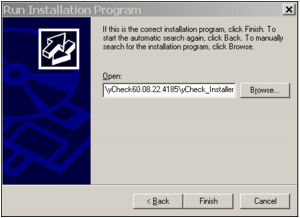
Click Browse to locate and select the yCheck_Installer.msi file (typically, in folder ..\yCheck60.08.xx.xxxx or ..\yCheck70.xx.xxxx, with the current version number of the utility).
|
|
h
|
|
i
|
|
j
|
Click Next and follow the on-screen prompts to install yCheck in the default location (typically, C:\Program Files\Yardi Systems\yCheck).
|
 |
If you want to print signature graphics on checks, see “To add a signature or other graphic to checks” in the Voyager Core Setup Guide. Following is a process summary:
|