Residents : Charge Procedures : Reviewing, Editing, and Deleting Lease Charges

Reviewing, Editing, and Deleting Lease Charges
You can edit a resident's lease charges at any time. Any changes that you make will go into effect the next time that monthly charges are posted.
To review, edit, or delete a resident's lease charge
1
From the side menu, select Residents > Review Lease Charges. The Resident Lease Charges filter appears.
2
Complete the filter, as needed, and click Submit. The Lease Charge screen appears.
3
a
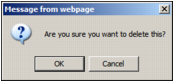
Click the Delete button in the row corresponding to the charge. A confirmation request appears.
b
Click OK. The lease charge disappears from the table.
4
5
Additional Information
Adding Lease Charges to Residents