|
1
|
From the side menu, select Receivables > Edit Detail Batch or Payments > Edit Detail Batch. The Batch Receipt filter appears.
|
|
2
|
|
3
|
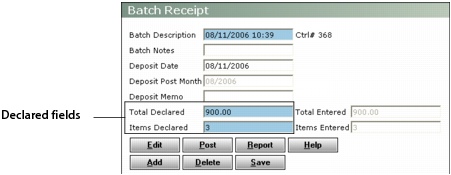
If necessary, adjust figures in the Declared fields to include the receipt you are about to edit.
|
|
4
|
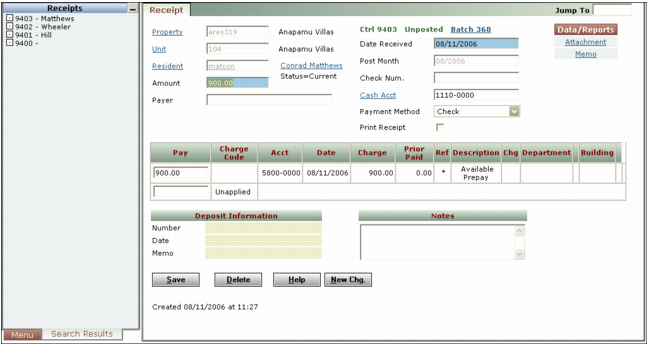
Click Edit. The Receipt screen appears with the first receipt in the main part and a list of receipts in the navigation list.
|
|
6
|
Repeat this process for each receipt you want to edit. When the total amount of the receipts entered matches or exceeds the total declared, or the number of receipts entered matches the items declared, the Batch Receipt screen appears. This screen displays the total amount and number of items declared and entered.