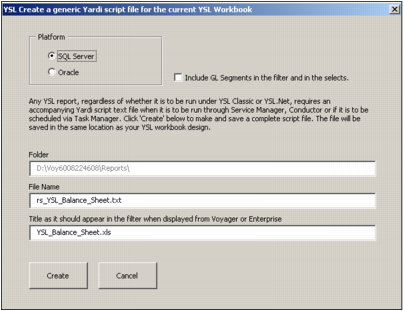
Saving YSL.Net Reports For more information, see “Saving YSL Reports”. Authoring a companion script (.txt) file automatically 1 From the Excel top menu, click the Add-Ins tab. 2 Click Create Matching Script File for Service Manager. a If you open a YSL report that has already been saved to a specific location on your computer, the following graphic appears. b Select the platform used by your Voyager database. YSL remembers these settings after the first usage. c If your YSL report employs functions with parameters set to return values broken down by G/L segmentation, select the Include GL Segments in the filter and in the selects box. d YSL.Net creates estimates for the name and title of the script based on the name of the YSL report. 3 After creating the script (.txt) file, move both it and the .xls file as a pair into the reports path of your Yardi product.