|
|
2
|
Follow the installation instructions on the screen. For more information, see the Enterprise Property Management Setup and Installation Guide.
|
|
|
The default path, or defpath, is the location on your network that has been reserved to store common files for use by the Yardi program and database. A company's default path is company-specific.
|
|
|
|
4
|
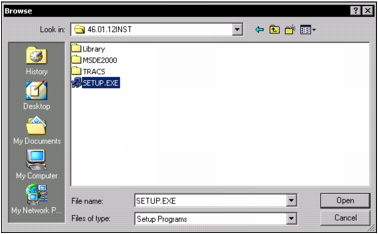
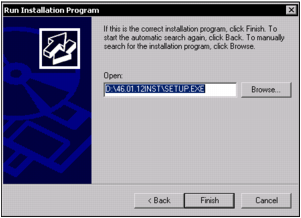
Click Open. The Run Installation Program screen appears showing the default path to SETUP.EXE. Change the path if needed.
|
|
5
|
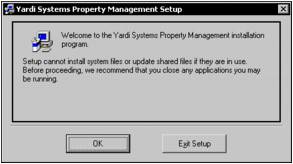
Click Finish. The Yardi Systems Property Management Setup screen appears, with a recommendation that you close any applications that are currently running.
|
|
6
|
|
7
|
|
8
|
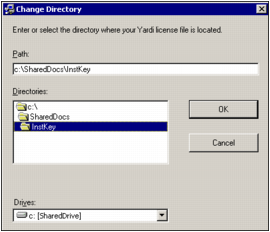
In the Path field, type the path to the location of your Yardi license file.
|
|
|
You can also use the Directories field to locate and select your license file.
|
|
9
|
|
10
|
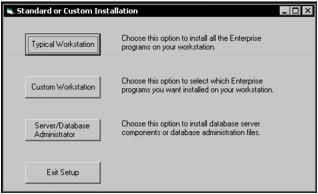
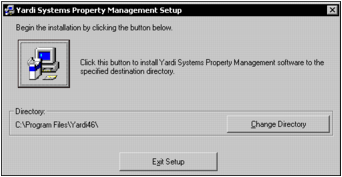
Click Custom Workstation. The Yardi Systems Property Management Setup screen appears, showing the Directory field with the default YSL install location (C:\Program Files\Yardi46\).
|
|
11
|
If you need to change the directory path, click Change Directory and then follow the prompts.
|
|
12
|
 ) to continue. The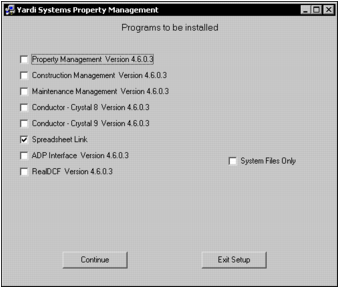
|
13
|
Select the Spreadsheet Link check box and clear all other check boxes.
|
|
14
|
|
15
|
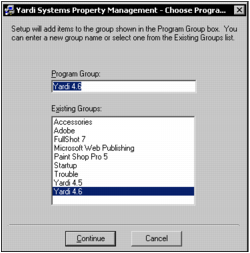
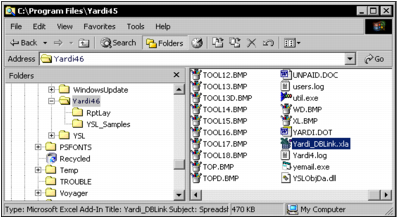
Verify that Yardi 4.6 is selected in both the Program Group field and the Existing Groups field, then click Continue. YSL installation begins. A confirmation message appears when the installation is complete.
|
|
|
The default path, or defpath, is the location on your network that has been reserved to store common files for use by the Yardi program and database. A company's default path is company-specific.
|
|
|