You can hide (suppress) the columns on a YSL report. A typical example might be a YSL property report, where the property information is positioned across several columns along the top of the worksheet. When you generate the YSL report, if you want the report to show only those property columns that return relevant information, use the Hidecolumn feature to suppress the columns that have no useful data.
 |
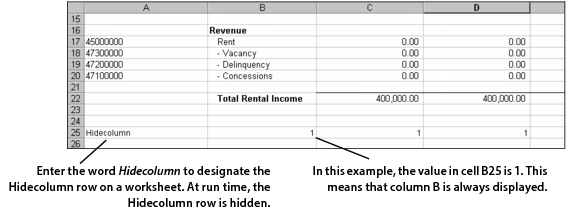
On each YSL worksheet, add a Hidecolumn row to determine whether or not a column appears or is hidden.
|
|
1
|
|
2
|
From the side menu, click Open, then locate and open a YSL report.
|
|
3
|
Enter the word Hidecolumn (with no space between the two words and no quotation marks) in any Column A cell of the worksheet (typically the final row of your template).
|
 |