|
1
|
|
2
|
If you have added the YSL report to the Report List screen:
|
|
b
|
Click OK.
|
|
a
|
Click File. The Open screen appears, opening to the default path where your YSL reports should be stored.
|
|
c
|
Click Open.
|
|
6
|
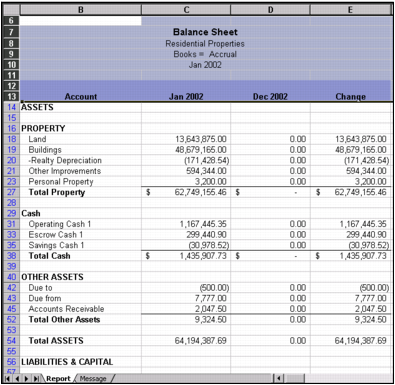
Click OK. The YSL report opens in Excel, as shown in the following graphic.
|
 |