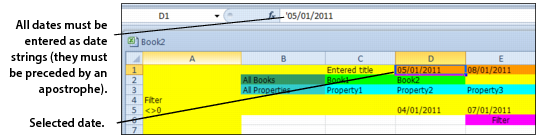
In YSL reports, you must enter dates (SDt1 and SDt2 parameter fields) as date strings. This means that the date entered in a function parameter must be preceded by an apostrophe ('). For example, you would enter the day 10/15/01 as '10/15/01. YSL only recognizes dates when they are in string form, and the preceding apostrophe indicates to the program that what follows is a date string, as shown in the following graphic.