Advanced Features : Multiple Worksheet Procedures : Creating a Report with Multiple Worksheet Templates

Creating a Report with Multiple Worksheet Templates
You can create a YSL report with multiple worksheet templates. To create a multiple worksheet YSL report, each worksheet of the report must have a unique name, prefixed by the letter T- or t- (case insensitive). For example, to name a worksheet Budget as part of a multiple worksheet YSL report, save the template as T-Budget.
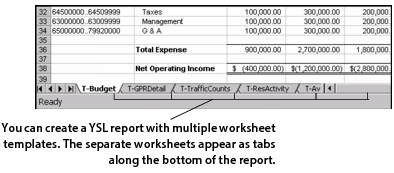
Creating a YSL report with multiple worksheet templates
The following example illustrates a YSL report that is comprised of multiple worksheets: T-Budget, T-GPRDetail, T-TrafficCounts, T-ResActivity, etc. To view a specific worksheet, click its tab.