|
1
|
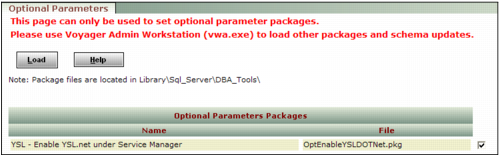
From the Voyager System Administration side menu, select Toolbox > Load Package. The Optional Parameters screen appears.
|
|
2
|
In the Optional Parameters Packages table, locate and select the check box next to the optional package named YSL - Enable YSL.net under Service Manager, with the file name OptEnableYslDotNet.pkg.
|
|
3
|
Click Load.
|