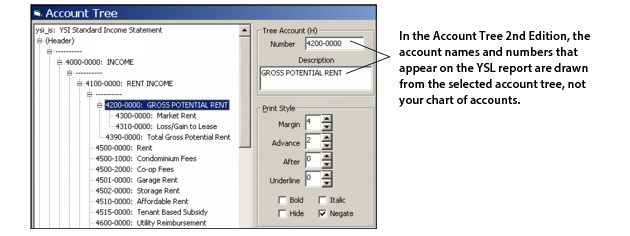
The original method, Account Tree 1st Edition, specifies the use of the Tree and TreeFunction functions.
The Account Tree 2nd Edition, available in YSL Classic 2.8 and later, is based on the familiar YSL financial functions, and offers an alternative and perhaps a simpler method for creating account tree reports.
Advantages of the Account Tree 2nd Edition method:
|
c
|
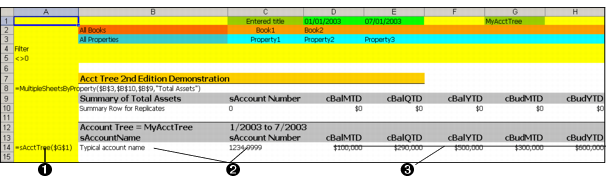
Account book types are supported across the row. That is, because your financials are built from the cBalMTD type functions, you can have two different book types (cash and accrual) in adjacent cells in your worksheet. This cannot be done with the Account Tree 1st Edition method, where all financial cells default to All Books.
|
Note the following when planning a YSL report that uses the Account Tree 2nd Edition method.
 |
|
||
|
||
|