|
1
|
 |
If you are using Voyager Construction and Job Costing, select Payable (JC) > Checks > Rewrite Checks.
|
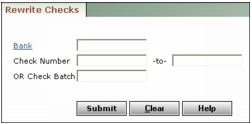
Bank Enter the bank account you used to write the original check.
Check Number Type the range of check numbers you want to rewrite.
OR Check Batch Type the batch number for the checks you want to rewrite.
|
3
|
|
4
|
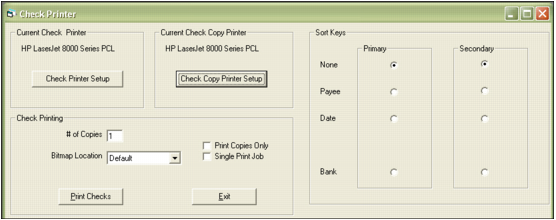
Review the printer settings and click Print Checks. The printer prints the checks and Voyager displays a confirmation message.
|
|
5
|
Click OK.
|