Charges : Charge Reversal : Reversing Charges

Reversing Charges
This procedure creates negative charges with zero-dollar receipts to tie together the charges and negative charges.
To reverse a charge
1
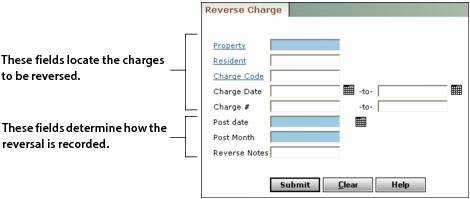
From the side menu, select Charges > Reverse Charge. The Reverse Charge filter appears.
2
Property Type or select the property code.
Resident Type or select the resident or tenant code.
Charge Code Select the charge code.
Charge Date Type or select a range of charge dates.
Charge# Type the control number for the charge.
3
Post Date Type the post date for the reversal.
Post Month Type the post month for the reversal.
Reverse Notes Type remarks to include in the reversal record.
4
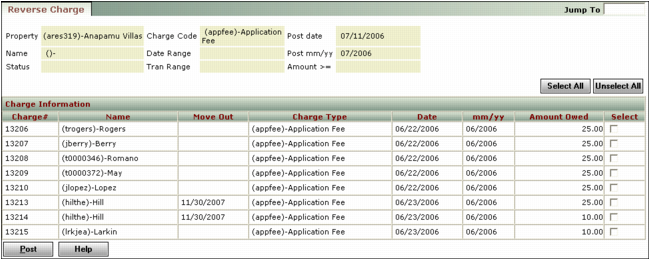
Click Submit. The Reverse Charge screen appears.
5
6
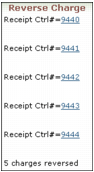
Click Post. Voyager displays confirmation of the charges that have been reversed.