Receipts : Shared Receipt Batch Procedures : Generating a Receipt Batch Report

Generating a Receipt Batch Report
You can produce a batch report any time before you post the batch. After posting the batch, the receipts become individual records. The batch will no longer exist. You cannot produce a report for posted batches.
To generate a report for a receipt batch
1
n
n
n
n
The Batch Receipt filter appears.
2
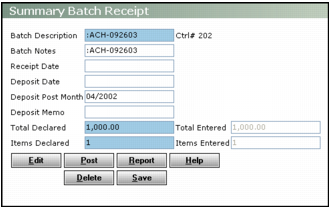
Complete the filter and click Submit. The Summary Batch Receipt or Batch Receipt screen appears.
3
Click Report. The Unposted Receipt Batch report appears. The control number for each receipt in the batch appears as a link in the Tran # column.
4
Additional Information
Summary Receipt Batch Procedures
Detail Receipt Batch Procedures
Shared Receipt Batch Procedures