|
1
|
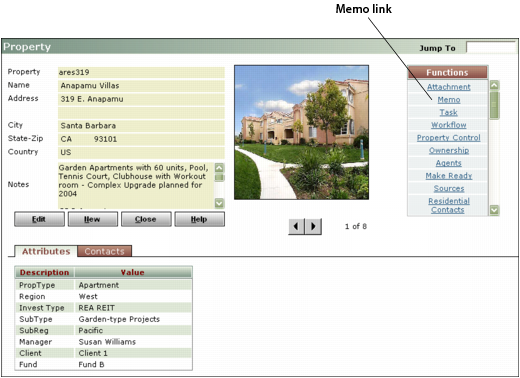
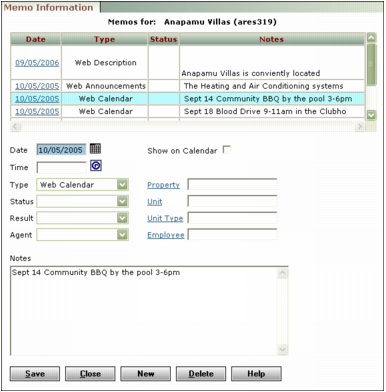
The Memo Information screen appears. The top part of the screen includes a table showing existing memos.
|
2
|
In the top part of the screen, click the link in the Date field for the memo you want to edit.
|
|
4
|
Click Save.
|
|
5
|
Click Close.
|