You can edit image batches with a status of Not Ready. A Not Ready image batch has not been committed through the process described in “Processing Image Batches” or had its status changed through the Document Management Administration tool in Voyager System Administration. For more information, see “Document Manager Administration” in the Voyager Core Installation and Administration Guide.
|
1
|
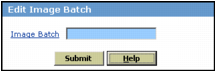
From the side menu, select Document Manager > Edit Image Batch. The Edit Image Batch filter appears.
|
|
3
|
|
4
|
|
5
|
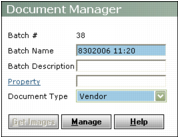
Follow the instructions for processing images. See “To process images” for information about using the Batch Management screen.
|