You can change attribute Type and Description and whether the attachment is secure and available to Weblinks.
|
2
|
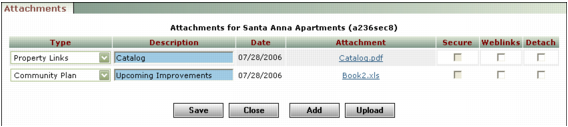
Type Select the attachment type. The type is used to classify attachments.
Description Type a new description. The description appears in reports, and the Email Template function uses it to find attachments to include with e-mails.
Secure Select this check box if you want to limit access to the attachment to users for whom the View secured attachments check box is selected in the User Security screen. This check box is available only if your security setting permits viewing of secured attachments.
Weblinks Select this check box to make the file available to Weblinks.
|
4
|
|
5
|
Click Close.
|