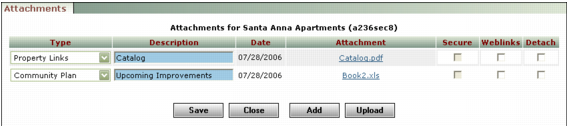
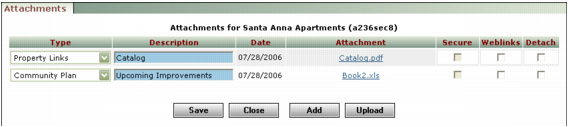
Detaching means removing the link between a file and the record it was attached to. The file is not deleted from the server and can be re-attached.
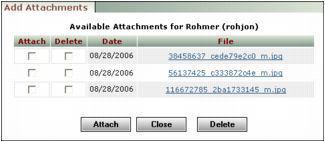
Deleting an attachment removes it from the server. Before you can delete an attachment, you must detach it.
|
2
|
|
3
|
Click the Detach check box for the attachments you want to detach.
|
|
4
|
|
2
|
|
3
|
|
4
|
Select the Delete check box for each file you want to delete.
|
|
5
|
Click Delete. Voyager asks you to confirm deletion.
|
|
6
|
Click OK.
|