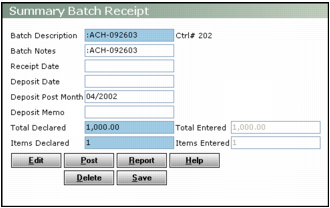
Deleting a Receipt Batch When you delete a receipt batch, you delete the batch and all receipts the batch contains. To delete a receipt batch 1 From the side menu, select one of the following: n Receivables > Edit Summary Batch n Receivables > Edit Detail Batch n Payments > Edit Summary Batch n Payments > Edit Detail Batch The Batch Receipt filter appears. 2 Complete the filter and click Submit. The Summary Batch Receipt or Batch Receipt screen appears. 3 Click Delete. Voyager asks you to confirm deletion. 4 Click OK. Voyager deletes the receipt batch and all receipts in the batch. Additional Information Summary Receipt Batch Procedures Detail Receipt Batch Procedures Shared Receipt Batch Procedures