|
1
|
From the side menu, select Receivables > Edit Summary Batch or Payments > Edit Summary Batch. The Batch Receipt filter appears.
|
|
2
|
Complete the filter and click Submit.
|
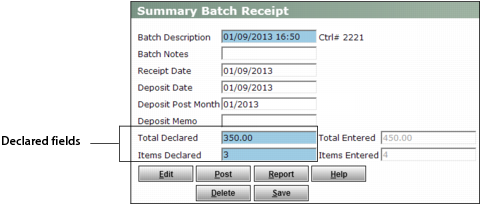
The Summary Batch Receipt screen appears.
|
3
|
If necessary, adjust the Declared fields to allow for the receipt you are about to delete.
|
|
4
|
|
6
|
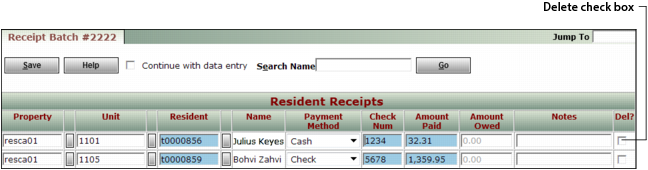
Click Save. Voyager asks you to confirm that you want to delete a receipt.
|
|
7
|
Click OK.
|