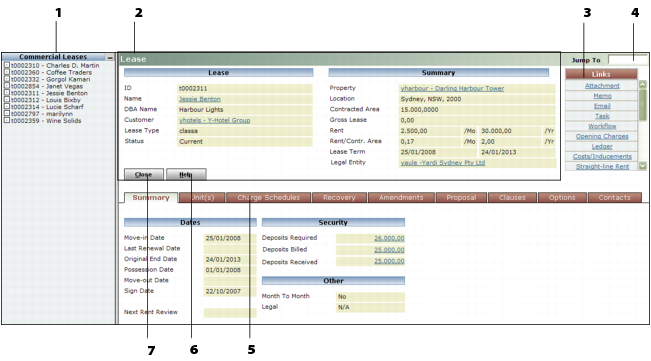
Data Screens 1 Navigation List Links to additional records that match the filter criteria. 2 Main part of screen The (first) record that matches the filter criteria. 3 Links/Functions/Data/Reports Menu Links to other screens for entering and viewing information associated with the active record. 4 Jump To Finds another record of the same type when you enter the code for the record and press TAB. 5 Tab Another part of the active record. 6 Help button Opens online Help. 7 Command buttons Performs the task that matches the name of the button (Save, Close, New).