|
1
|
From the side menu, select G/L > Bank Functions > Check Book Maintenance. The Check Book Maintenance filter appears.
|
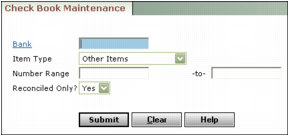
Bank Type or select the bank account.
Item Type or select the type of transaction you want to correct.
Number Range Type the range of numbers for the transaction.
Reconciled Only Select whether to include only reconciled transactions.
|
3
|
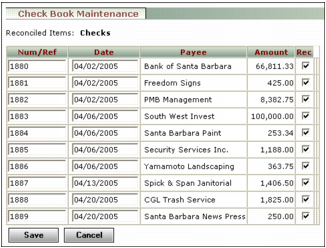
Click Submit. The Check Book Maintenance screen appears, with a list of all transactions matching the search criteria.
|
|
4
|
 |
|
5
|
|
6
|
Click OK.
|