When you add receipts to a summary receipt batch, Voyager applies the total amount paid to the total amount a payer owes. To apply amounts paid to specific charges, add the receipts using the detail mode. See “Adding Receipts to a Receipt Batch Using Detail Mode”.
|
1
|
From the side menu, select Receivables > Edit Summary Batch or Payments > Edit Summary Batch. The Batch Receipt filter appears.
|
|
2
|
Complete the filter and click Submit.
|
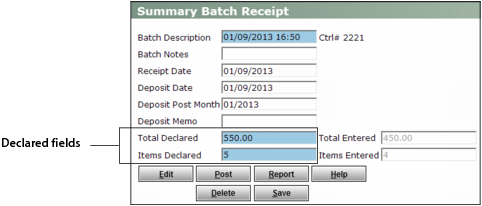
The Summary Batch Receipt screen appears.
|
3
|
If necessary, adjust figures in the Declared fields to include the receipt you are about to add.
|
|
4
|